Back To All Articles

February Product Pulse: Automated On-Demand Experience and Coupon-Activated Bundle Discounts

Explore Zuddl’s latest features—This month’s updates eliminate manual post-event work, give teams tighter controls over discounts and coupons, and make cross-team event management more scalable.

Automatically Turn Webinars Into On-Demand Experiences

Webinars don’t end when the live session stops, but post-webinar workflows often require manual effort across recordings, pages, and access controls.

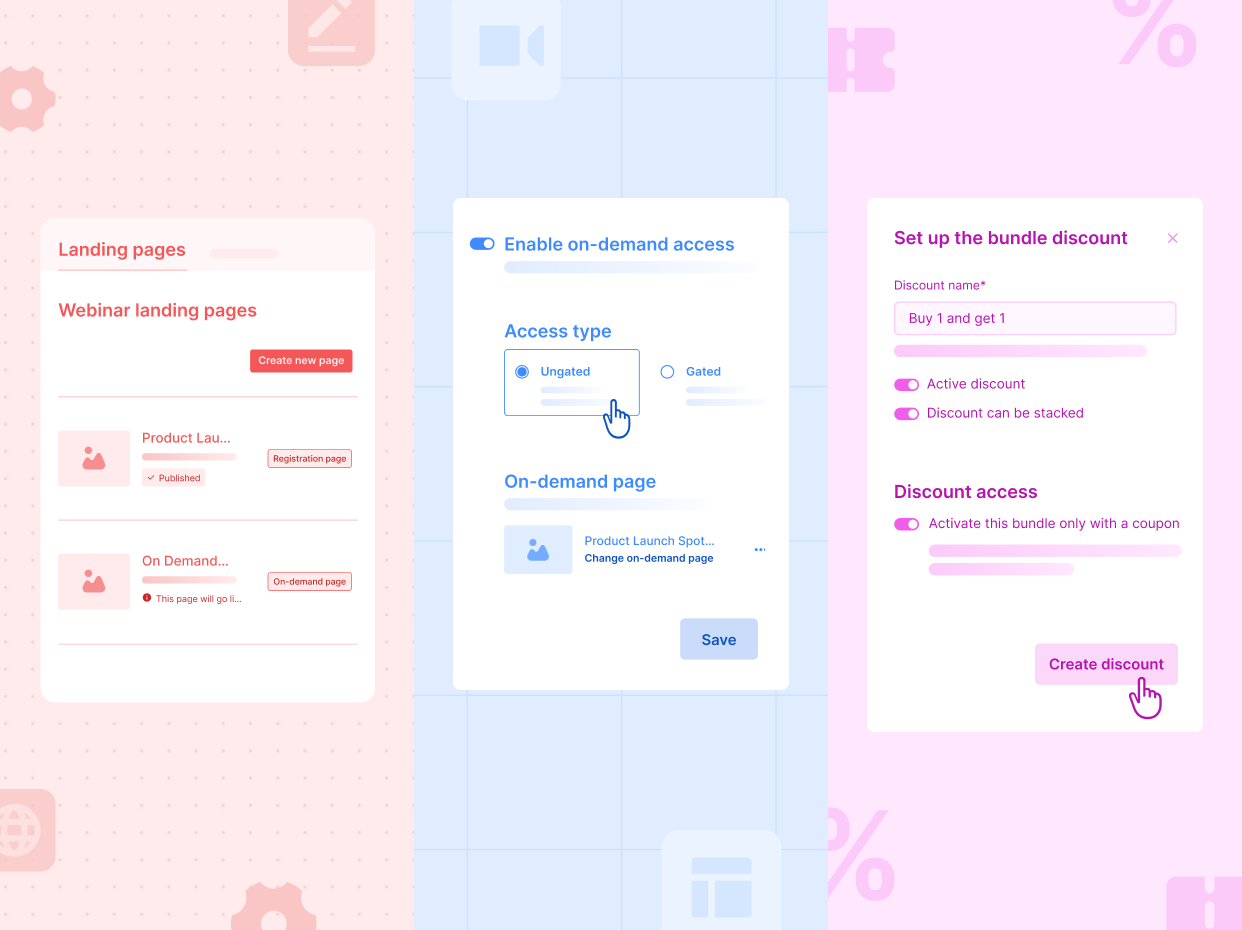
The On-Demand experience for webinars is now fully automated.

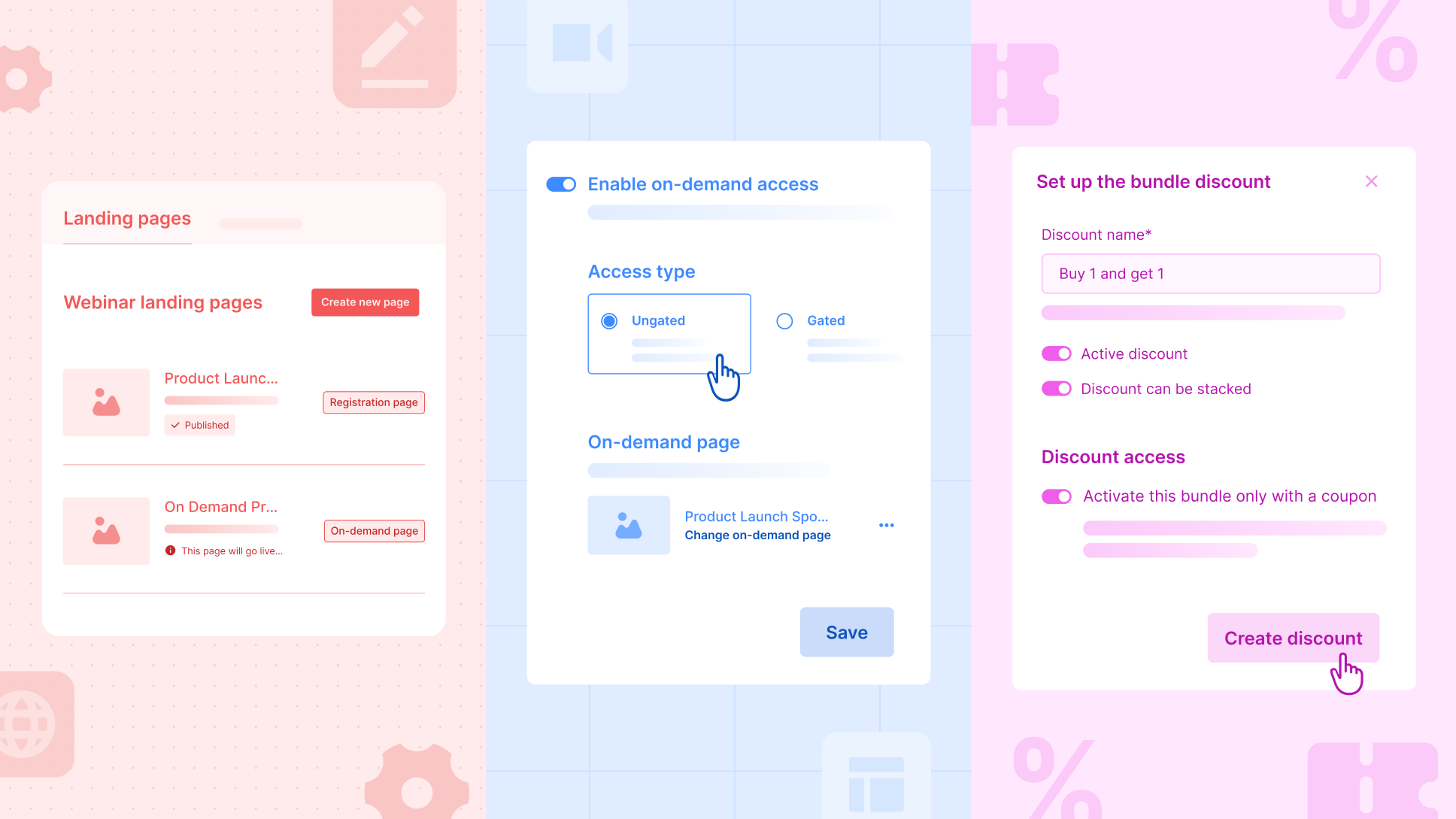
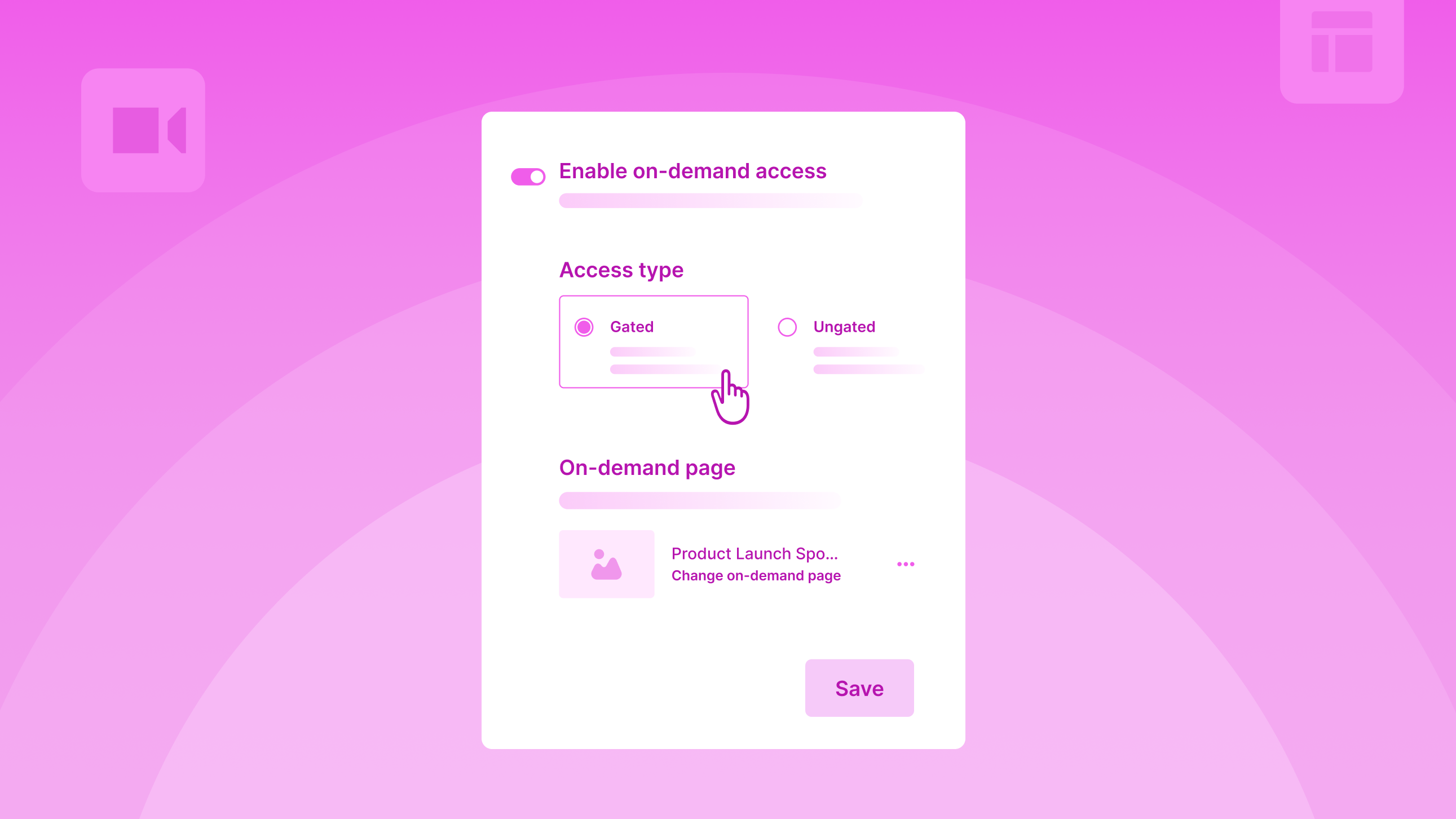
Organizers can set up their entire post-webinar VoD experience in advance, including the page, widgets, and access, and activate it with a single toggle. Once the webinar ends, Zuddl automatically unpublishes the registration page and publishes the on-demand page on the same URL, along with the recordings.

Here’s what’s new

  • The On-Demand feature for webinars now supports a fully automated post-webinar experience.
  • Organizers can create a dedicated on-demand page using pre-built templates, duplicating it, or building it from scratch, with the published recordings auto-populating on this page after the webinar ends.
  • A single On-Demand toggle controls the entire experience: Zuddl will automatically unpublish the registration page and publish the on-demand page at the same URL.
  • A new unified Landing Pages tab lets organizers manage registration and VoD pages in one place.
  • When webinars are duplicated, the on-demand page and widgets are carried forward to ensure repeatability.
  • Attendees return to the same webinar URL and instantly access the published recordings. Clear messages are shown if recordings aren’t yet published.

Why this matters

  • Eliminates manual post-webinar operational steps
  • Ensures a seamless live-to-on-demand transition
  • Makes repeatable webinar programs easier to scale

Run Controlled Bundle Discounts With Coupons

Organizers can create a bundle discount, but allow users to activate it only when a coupon is applied.

Here’s what’s new:

  • In bundle discounts, a new toggle, “Activate this bundle only with a coupon,” has been added.
  • In coupons, a new discount type, ‘bundle discount’, is added in addition to ‘percentage’ and ‘amount’ discounts.
  • When a coupon-activated bundle discount is enabled, the bundle will no longer auto-apply at checkout. Requires a coupon to activate it.

For example, an organizer may want to offer Sponsor A an exclusive Buy 1, Get 1 offer on Gold tickets, capped at 100 free tickets in total.

With coupon-activated bundle discounts, the organizer can create a B1G1 bundle, link it to a specific coupon, and set usage limits so that no more than 100 free tickets are redeemed, whether those are claimed in a single transaction or across multiple transactions.

This ensures the sponsor gets their agreed benefit, while the organizer maintains full control over discount exposure and limits.

Why this matters:

  • Prevents unintended auto-discounting
  • Enables controlled promotional campaigns
  • Adds flexibility to ticketing strategies

Improvements

Pending Registrations Page

The Pending Registrations page now highlights counts for Unassigned Tickets and Incomplete Registrations for quick visibility. With a new Status filter, organizers can send reminders to purchasers who haven’t assigned tickets and to attendees who’ve bought tickets but haven’t completed their registration.

Status Consistency

Registration and attendance statuses are now standardized across setup, reports, and integrations. Pre-registration and attendance statuses will appear consistently in relevant columns, filters, and tabs, improving reporting accuracy and integration reliability.

Agents Response Rating Feedback

You can now rate AI Agent responses using thumbs up or thumbs down. Feedback helps improve accuracy and response quality over time.

Hub Enhancements

Hubs can now include events from multiple teams. While adding events, organizers see events only from selected teams, with improved filters (by status, team, and tags) to find them faster. Events added to or removed from a hub automatically sync across all hub widgets, no manual updates required.

Session Recordings for In-Person Events

Organizers can now upload and associate session recordings for in-person events, extending content access beyond the live experience.

Thank You Page Controls in Flow Builder

Organizers can choose to show/hide the contents of the Attendee Details section - registration details, show edit details link, and form summary.

New Field in Lead Capture Mapping

Two fields, ‘Lead added by name’ and ‘Lead added by email’, will now be available in lead capture field mappings in the integration setup. These two fields are also available in the lead object of the webhook’s payload/response.

Subscribe to our blog

Book A Demo
Deliver your best event ever with Zuddl

Subscribe to our blog now!

Get fresh ideas, actionable insights and expert guidance for B2B events delivered directly to your inbox!

February Product Pulse: Automated On-Demand Experience and Coupon-Activated Bundle Discounts

Automatically Turn Webinars Into On-Demand Experiences

Webinars don’t end when the live session stops, but post-webinar workflows often require manual effort across recordings, pages, and access controls.

The On-Demand experience for webinars is now fully automated.

Organizers can set up their entire post-webinar VoD experience in advance, including the page, widgets, and access, and activate it with a single toggle. Once the webinar ends, Zuddl automatically unpublishes the registration page and publishes the on-demand page on the same URL, along with the recordings.

Here’s what’s new

  • The On-Demand feature for webinars now supports a fully automated post-webinar experience.
  • Organizers can create a dedicated on-demand page using pre-built templates, duplicating it, or building it from scratch, with the published recordings auto-populating on this page after the webinar ends.
  • A single On-Demand toggle controls the entire experience: Zuddl will automatically unpublish the registration page and publish the on-demand page at the same URL.
  • A new unified Landing Pages tab lets organizers manage registration and VoD pages in one place.
  • When webinars are duplicated, the on-demand page and widgets are carried forward to ensure repeatability.
  • Attendees return to the same webinar URL and instantly access the published recordings. Clear messages are shown if recordings aren’t yet published.

Why this matters

  • Eliminates manual post-webinar operational steps
  • Ensures a seamless live-to-on-demand transition
  • Makes repeatable webinar programs easier to scale

Run Controlled Bundle Discounts With Coupons

Organizers can create a bundle discount, but allow users to activate it only when a coupon is applied.

Here’s what’s new:

  • In bundle discounts, a new toggle, “Activate this bundle only with a coupon,” has been added.
  • In coupons, a new discount type, ‘bundle discount’, is added in addition to ‘percentage’ and ‘amount’ discounts.
  • When a coupon-activated bundle discount is enabled, the bundle will no longer auto-apply at checkout. Requires a coupon to activate it.

For example, an organizer may want to offer Sponsor A an exclusive Buy 1, Get 1 offer on Gold tickets, capped at 100 free tickets in total.

With coupon-activated bundle discounts, the organizer can create a B1G1 bundle, link it to a specific coupon, and set usage limits so that no more than 100 free tickets are redeemed, whether those are claimed in a single transaction or across multiple transactions.

This ensures the sponsor gets their agreed benefit, while the organizer maintains full control over discount exposure and limits.

Why this matters:

  • Prevents unintended auto-discounting
  • Enables controlled promotional campaigns
  • Adds flexibility to ticketing strategies

Improvements

Pending Registrations Page

The Pending Registrations page now highlights counts for Unassigned Tickets and Incomplete Registrations for quick visibility. With a new Status filter, organizers can send reminders to purchasers who haven’t assigned tickets and to attendees who’ve bought tickets but haven’t completed their registration.

Status Consistency

Registration and attendance statuses are now standardized across setup, reports, and integrations. Pre-registration and attendance statuses will appear consistently in relevant columns, filters, and tabs, improving reporting accuracy and integration reliability.

Agents Response Rating Feedback

You can now rate AI Agent responses using thumbs up or thumbs down. Feedback helps improve accuracy and response quality over time.

Hub Enhancements

Hubs can now include events from multiple teams. While adding events, organizers see events only from selected teams, with improved filters (by status, team, and tags) to find them faster. Events added to or removed from a hub automatically sync across all hub widgets, no manual updates required.

Session Recordings for In-Person Events

Organizers can now upload and associate session recordings for in-person events, extending content access beyond the live experience.

Thank You Page Controls in Flow Builder

Organizers can choose to show/hide the contents of the Attendee Details section - registration details, show edit details link, and form summary.

New Field in Lead Capture Mapping

Two fields, ‘Lead added by name’ and ‘Lead added by email’, will now be available in lead capture field mappings in the integration setup. These two fields are also available in the lead object of the webhook’s payload/response.

Subscribe to our blog

Book A Demo

Subscribe to our blog now!

Get fresh ideas, actionable insights and expert guidance for B2B events delivered directly to your inbox!

Our curated hub of inspiration

Book a Demo
Book A Demo
Book A Demo
Steph’s tip for event marketers: 
Bring a simple cost-savings table like this: 
Line Item
2024 Cost
2025 Cost(after negotiation)
Cost Savings
Venue package
$200k
$170k
$30k
Lead capture tech
$18k
$12k
$6k
Then say, “This $36K savings covers the increase I’m asking for.”