

.avif)
[.ebook-q-card][.ebook-body-text] TL;DR: A post-webinar survey only works if every question has a pre-defined action trigger and a clear owner. This piece covers 17 questions across six categories, each with a threshold that routes to a specific next step, plus Zuddl's first-party benchmarks on response rates, completion, and purchase intent. [.ebook-body-text][.ebook-q-card]
An events team running 40 webinars a year sends the same five questions in their post-webinar surveys. The open-text field fills up with answers nobody has time to read twice, let alone act on. Response rates are inconsistent, and even when they aren’t, nobody changes anything based on the answers.
In order for that to happen, the post webinar survey needs to be treated like a decision system: a question only belongs on it if a specific answer triggers a specific next action that’s owned by a specific person.
What is a post-webinar survey?
A post-webinar survey is a short set of questions sent to attendees immediately after a session ends, asking about the content, the presenter, the experience, and what they plan to do next.
It is different from a general customer satisfaction survey because it is time-bound to a single event, which means the questions should reference specifics the attendee just experienced.
It’s best when it’s used as a way to map attendee responses to decisions your team needs to take, instead of a way to produce an average of satisfaction scores.
But it’s still largely used as a feedback form: send it, glance at the average rating, file it away. This doesn’t work at the scale of a mature B2B events program. You’re sitting on a rich feedback loop that can be used to meaningfully improve your program…if you’re able to frame the survey questions right.
One way to do that is to scope a survey to a single webinar session instead of multiple sessions.
Zuddl's internal data across our customer base shows that a survey attached to one specific session collects roughly 3.3× more total responses than a single survey meant to cover an entire multi-session event.
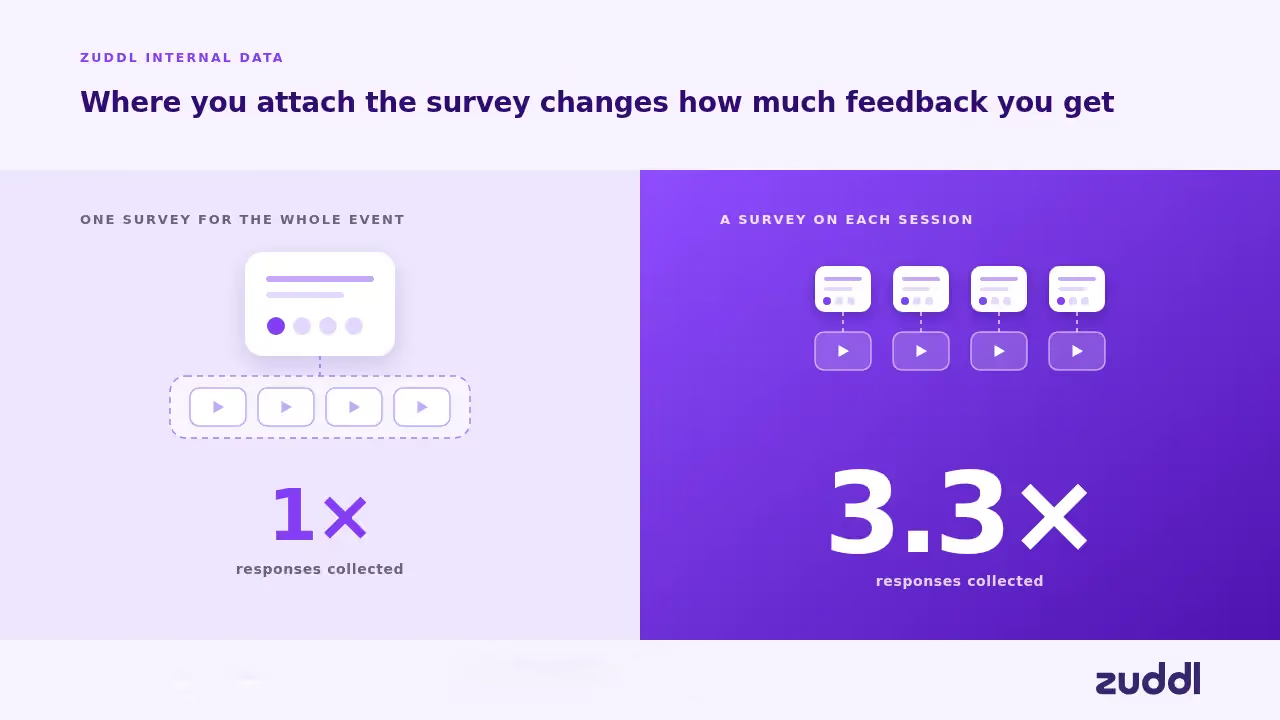
This is because a post-webinar survey asks participants about the one thing they just watched, which is an easier question to answer honestly and quickly.
Why do post-webinar surveys matter in 2026 for B2B events programs?
Three things have changed the stakes for the post-webinar survey:
- Event programs are running more webinars per team
The webinar software market is growing at a 12.68% CAGR, but the growth is not evenly distributed. Among organizations running recurring webinar programs, teams producing twelve or more sessions a year has nearly doubled in two years (per Zuddl’s internal data). This means that a post-webinar survey can produce a rich dataset of responses to analyze.
- AI has changed how open-text feedback can be analyzed
The open-text field used to be a place where good feedback went to die. Reading every free-response comment across dozens of webinars a quarter, by hand, is not a realistic ask of anyone's calendar.
Text-analysis tools built for survey data now classify open-ended responses into sentiment categories automatically, incorporating the context of both the question and the answer. That means open-text fields can be extremely useful in a post-webinar survey to surface patterns across responses.
- It helps answer the event-influenced pipeline question
Events leadership is increasingly asked to connect what happens in a webinar session to what happens in the pipeline, in the same terms RevOps already uses for it.
Mature B2B marketing teams already score accounts on engagement by tracking a buying group's collective activity across a deal's stakeholders rather than any single contact's enthusiasm on its own.
If there’s a purchase-intent question on a post-webinar survey whose high-scoring responses route into the same account-engagement view, that can become an additional buying signal for RevOps.
What does a good post-webinar survey question look like?
One thing matters more than question length, tone, or scale type: before the question goes out, does the team already know what it will do with each possible answer?
If a 3-out-of-10 rating and an 8-out-of-10 rating would produce the exact same response from the program (nothing), the question is not worth asking.
If an answer of "no" to a technical-issues question does not trigger anything beyond a shrug, cut it.
[.ebook-q-card][.ebook-body-text] A good question is one designed to trigger a series of decisions depending on the answer. [.ebook-body-text][.ebook-q-card]
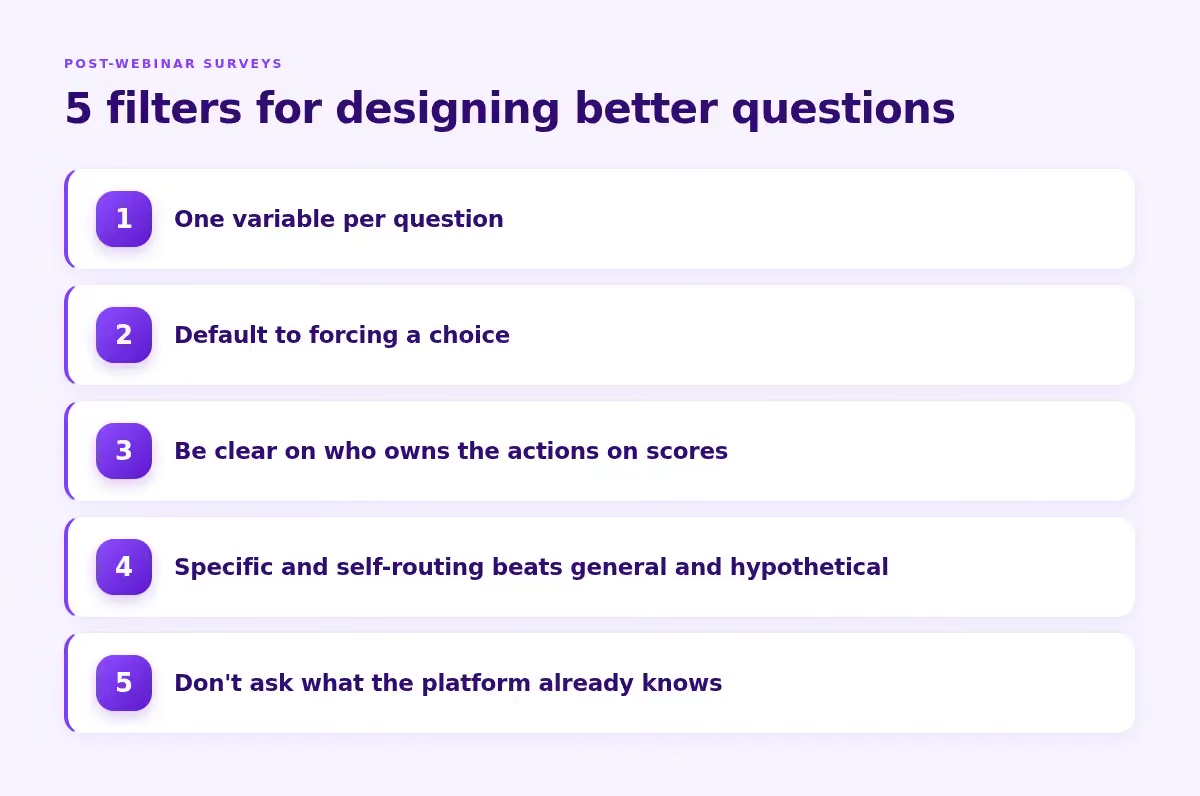
Here are 5 practical filters to follow when designing post-webinar survey questions:
- One variable per question: "How would you rate the content and the presenter?" cannot be acted on, because a low score does not tell you which one to fix. Split it. Did this session give you something you can act on this week?" and "How clearly did the presenter explain the material?" are more measurable.
- Default to forcing a choice: So that scaled and multiple-choice questions produce a numbered trigger. Open-ended questions also produce a trigger, but the threshold there is a pattern of responses vs a defined number
- Be clear on who owns the actions on scores: Is it product? CS? Marketing? Assign the owner when the question is designed
- Specific and self-routing beats general and hypothetical: A single "how satisfied were you overall" question can mask specifics that the audience didn’t like
- Don't ask what the platform already knows: Reserve survey questions for what only the respondent can tell you: what they thought, what they want next, what would move them to take an action. Everything the event platform can already observe should come from the platform’s own data
For B2B specifically, research on 1,500 B2B customers found that nearly one in five who scored 9 or 10 on recommendation likelihood had actually failed to reach their desired business outcomes — meaning the score looked healthy while the relationship wasn't.
A question that asks for a specific next action instead of a general impression or a hypothetical prediction tends to do more of the routing work by itself.
What are the best post-webinar survey questions by category?
These tables are built to be scanned in 10-minutes during a post-webinar review. For every question, there is a suggested action threshold or trigger, and what you should do next along with who owns the next steps.
First, an quick overview of the question categories and what they measure:
Post-webinar survey questions category overview
Now let’s look at the questions in detail.
For scored questions, the trigger is a threshold, such as 6 out of 10 or below. For open-text or multiple-choice questions, the trigger is a mention pattern instead.
Session effectiveness and advocacy
Asking whether the respondent will actually forward the recording is a real commitment, and a "somewhat" or "no" answer says more than a 6/10 satisfaction score does. A single session's score also never shows a trend by itself, which is why the comparison question is important.
Content relevance
Why not how relevant was this to your priorities? That might lead to abstract answers - everyone can answer "somewhat relevant" without the answer meaning anything specific. Naming an actual current priority forces a focused answer.
Presenter and speaker performance
Why clarity and pacing are two questions: One question asking about clarity and delivery combines two different problems into a single score, which breaks the one-variable-per-question rule. A presenter can be perfectly clear and still rush through the material.
Technical and logistics experience
A caveat on priority: for a program that already runs high volumes of webinars smoothly, this category is not a rich source of insight. You could choose to skip this and spend more energy on purchase intent or content relevance, where a mature program has more room to actually learn something new.
Purchase intent and funnel signal
Why not a 1-10 "how likely are you to explore this further": "Talk to someone on your team" tells the rep exactly what to open with instead of a likelihood score.
For anyone who didn't ask for a conversation, the objection question routes further: "need to loop in others" gets a forwardable summary and a request for who to include. "Budget or timing" indicates a lead meant for the nurture track,
"Comparing other options" goes to an AE briefed on that specific comparison. "Already have a solution" gets logged for a future win-back attempt instead of an immediate call.
B2B buying groups now range from five to sixteen people across as many as four functions. The "who else" question allows you to see which of the participant’s colleagues might need to be influenced at their organization, which would be intel that’s super useful to mature RevOps teams.
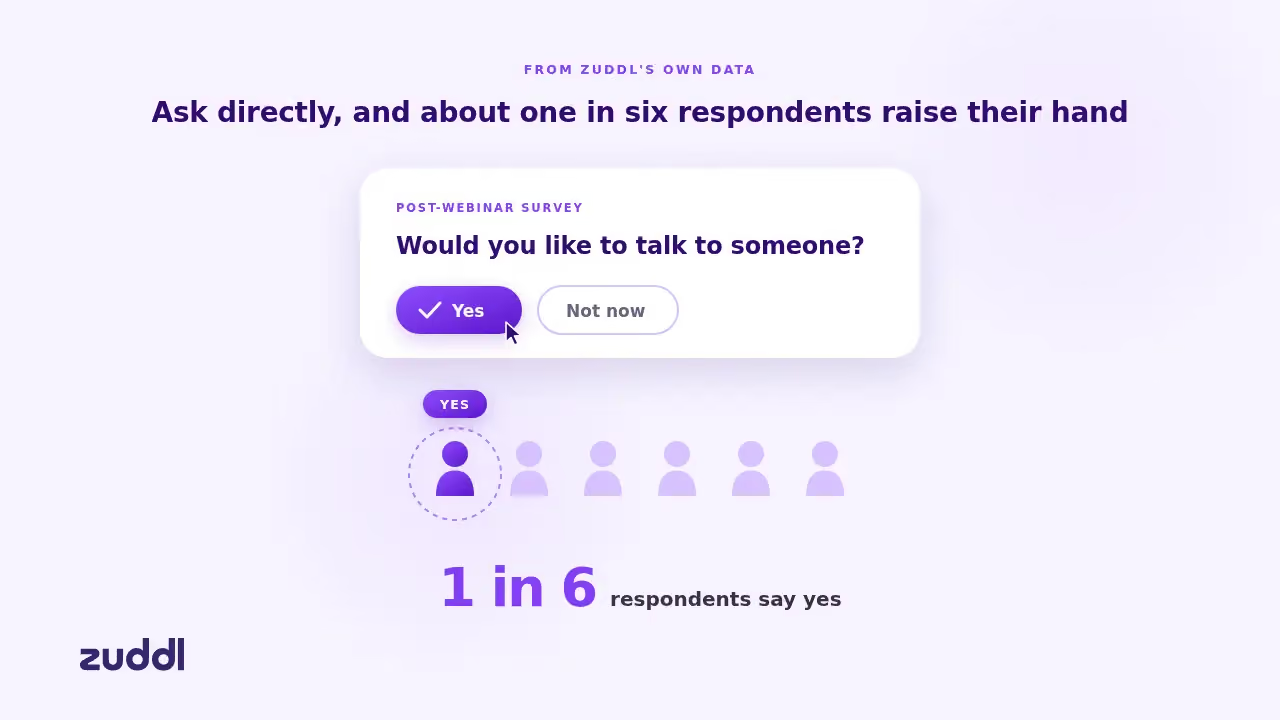
From Zuddl's own data, roughly one in six respondents say yes when a post-webinar survey asks them directly whether they'd like to talk to someone, yet very few programs currently ask this kind of question at all.
A positive response there is an MQL. They’re raising a hand and asking to speak with your team about a specific interest.
Program-level format feedback
How do I analyze post-webinar survey data across multiple events?
When you’re running a mature event program that also has field dinners, flagship conferences and third-party events, you need to be able to interpret post-webinar survey results at scale.
What does a ready-to-send post-webinar survey template look like?
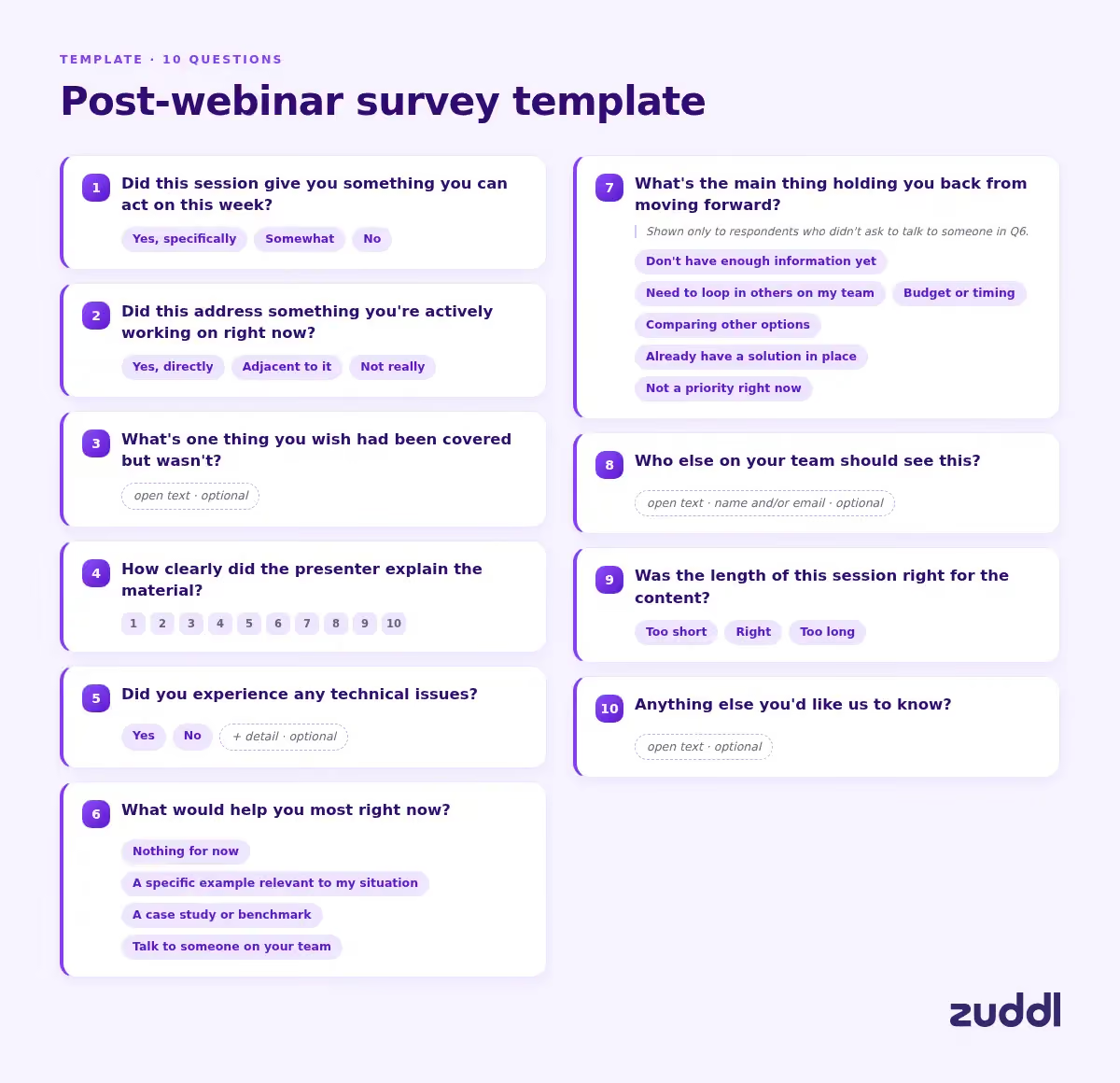
Here’s a stripped-down, ready-to-send 10 question set the six survey categories covered earlier in this piece:
- Did this session give you something you can act on this week? (Yes, specifically / Somewhat / No)
- Did this address something you're actively working on right now? (Yes, directly / Adjacent to it / Not really)
- What's one thing you wish had been covered but wasn't? (open text, optional)
- How clearly did the presenter explain the material? (1-10)
- Did you experience any technical issues? (Yes/No + optional detail)
- What would help you most right now? (Nothing for now / A specific example relevant to my situation / A case study or benchmark / Talk to someone on your team)
- What's the main thing holding you back from moving forward? (multiple choice, shown only to respondents who didn't ask to talk to someone in question 6: don't have enough information yet / need to loop in others on my team / budget or timing / comparing other options / already have a solution in place / not a priority right now)
- Who else on your team should see this? (open text, optional, name and/or email)
- Was the length of this session right for the content? (Too short / Right / Too long)
- Anything else you'd like us to know? (open text, optional)
If you want to adapt the set by webinar type, we’ve included a useful table below:
When should you send a post-webinar survey (and through which channel)?
Research on memory and recall shows that the number of details people can retrieve drops significantly within 24 hours of an event, even when the quality of what they do remember holds up. Attendees forget specifics fast.
The best channel is the same screen attendees are already looking at, and the best moment for a post-webinar survey is during the last few minutes of the session. Here’s a handy table that lays out the best times to send the survey.
No-shows need a separate set of questions
The no-show survey questions
What are the most common post-webinar survey mistakes?
The single most common mistake is collecting insight with no pre-wired action. You don’t want to end up with a dashboard full of average ratings that nobody changes anything based on.
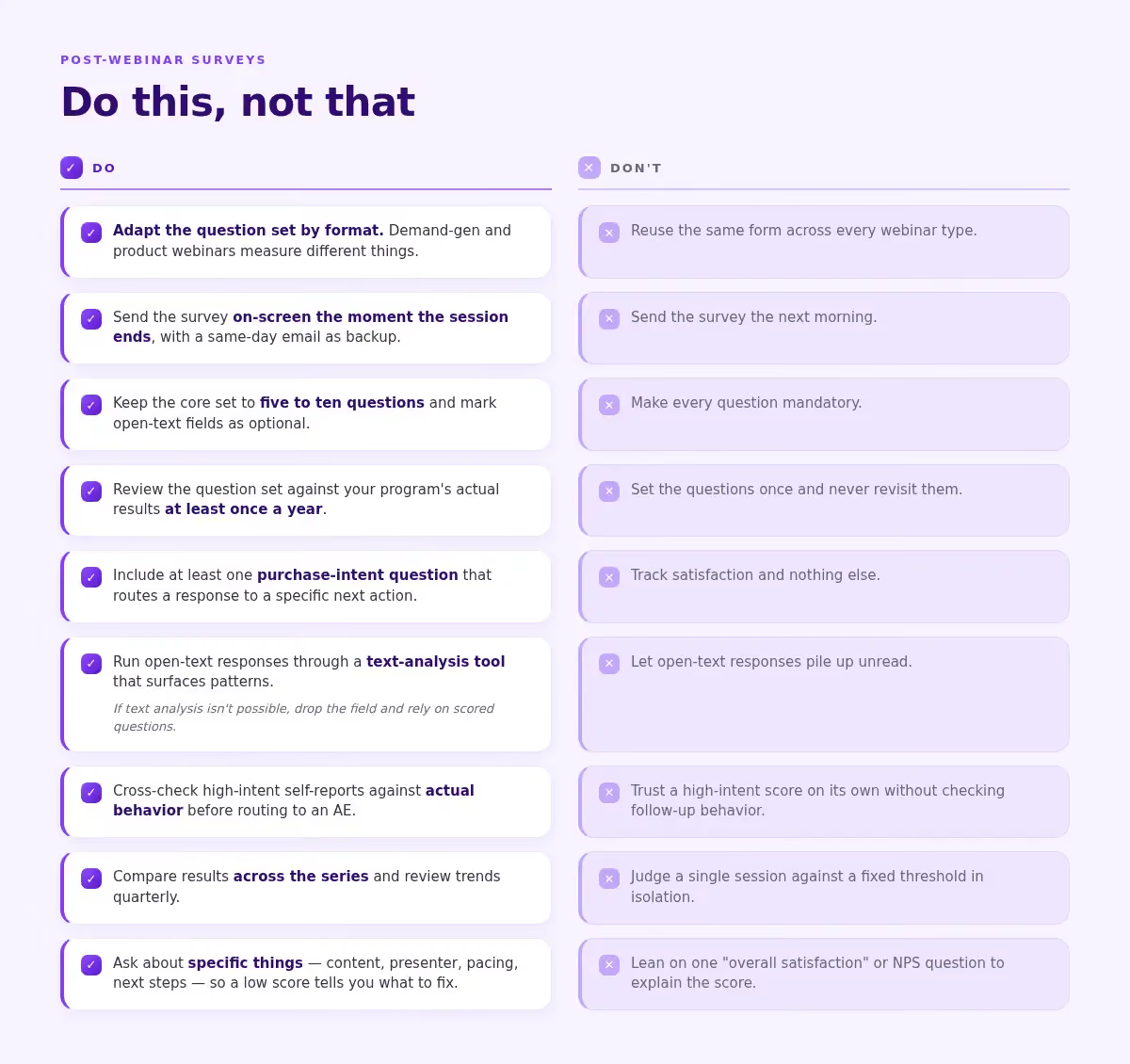
Do:
- Adapt the question set by format. Demand-gen and product webinars measure different things
- Send the survey on-screen the moment the session ends, with a same-day email as backup
- Keep the core set to five to ten questions and mark open-text fields as optional
- Review the question set against your program's actual results at least once a year
- Include at least one purchase-intent question that routes a response to a specific next action
- Run open-text responses through a text-analysis tool that surfaces patterns
- If text analysis isn’t possible, drop the field and rely on scored questions
- Cross-check high-intent self-reports against actual behavior before routing to an AE
- Compare results across the series and review trends quarterly
- Ask about specific things (content, presenter, pacing, next steps) so a low score tells you what to fix.
Don't:
- Reuse the same form across every webinar type
- Send the survey the next morning
- Make every question mandatory
- Set the questions once and never revisit them
- Track satisfaction and nothing else
- Let open-text responses pile up unread
- Trust a high-intent score on its own without checking follow-up behavior
- Judge a single session against a fixed threshold in isolation
- Lean on one "overall satisfaction" or NPS question to explain the score
Frequently Asked Questions
What's a good response rate for a post-webinar survey?
There is no single reliable external benchmark that applies across industries and formats, and specific percentages circulating online are rarely backed by disclosed methodology. As per Zuddl's own aggregate data across B2B organizations running webinars between 2023 and 2026, the median post-webinar survey response rate, sits around 3.7%, with most programs somewhere between roughly 1.4% and 7.9%.
What is consistent is the pattern of surveys sent close to the moment a session ends outperforming surveys sent after the session, because the accuracy and willingness to respond both decay quickly once attendees leave.
When should you send a post-webinar survey?
Immediately, before the session window closes. An on-screen prompt at the end of the webinar, backed up by a same-day email for anyone who skips it, captures feedback while it is still accurate. A next-day send should be reserved for a separate, optional, longer survey, not the primary reaction capture.
How do you analyze open-ended survey responses at scale?
Text-analysis tools designed for survey data can classify open-text responses into sentiment categories automatically, using both the question and the answer as context, which turns a pile of unread comments into a surfaced pattern across dozens or hundreds of responses without requiring anyone to read each one individually.
Should you survey no-shows too?
Yes, but not with the same form. No-shows need a short, separate survey asking why they registered without attending, whether a recording would help, and whether a different time would have worked. It exists to catch a scheduling or targeting problem, not to evaluate content they never saw.
How many questions should a post-webinar survey have?
For the immediate, on-screen version, keep it to roughly five to ten core questions. Zuddl's own aggregate data shows that once someone opens a post-webinar survey, roughly 83 to 89% of its questions get answered whether the survey has 2 questions or 15, with no meaningful drop as length increases within that range. External benchmarks confirm a similar non-linear pattern (Survicate, 2025). Don't obsess over trimming one more question. The real lever for completion is getting the survey opened at the right moment
Is NPS still worth asking after a B2B webinar?
Yes, but it should be one data point in addition to what the post-webinar survey says. Research on 1,500 B2B customers found only a 54% correlation between NPS and retention, and nearly one in five respondents who scored 9 or 10 failed to reach their desired business outcomes with the vendor's solution. A high recommendation score doesn't mean the session moved anyone closer to a decision. Pair it with at least one question that asks for a specific next action like "what would help you most right now" rather than treating the NPS number as a complete answer on its own.

Subscribe to our blog now!

.avif)


