Zuddl Product Pulse
Every release ships a manual step out of your workflow.

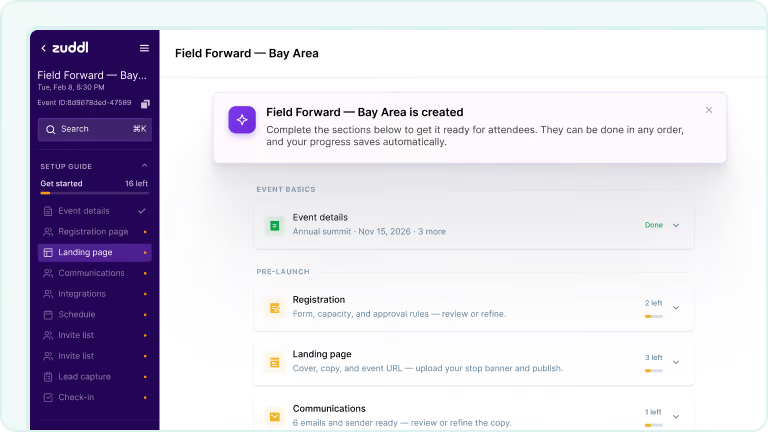
Custom event types with built-in playbooks
Custom event types bake your playbook into every new event of that type: registration rules, sequences, integrations, branding, compliance. Organizers land on a Setup Guide showing what to configure or skip. Design stays locked and compliance carries over.
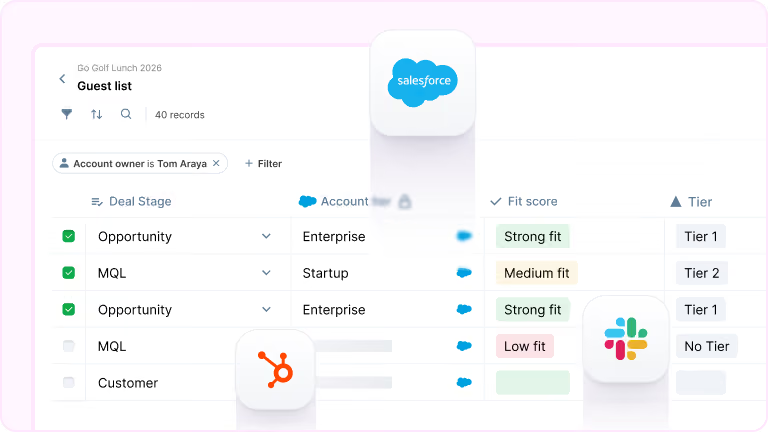
Smart Tables for guest list collaboration
Reps nominate from live CRM data with AI fit scores, and approvers decide in the same row. Approved names trigger session invites while a follow-up agent drafts outreach and flags overdue contacts. External collaborators work from a protected link, no Zuddl seat needed.

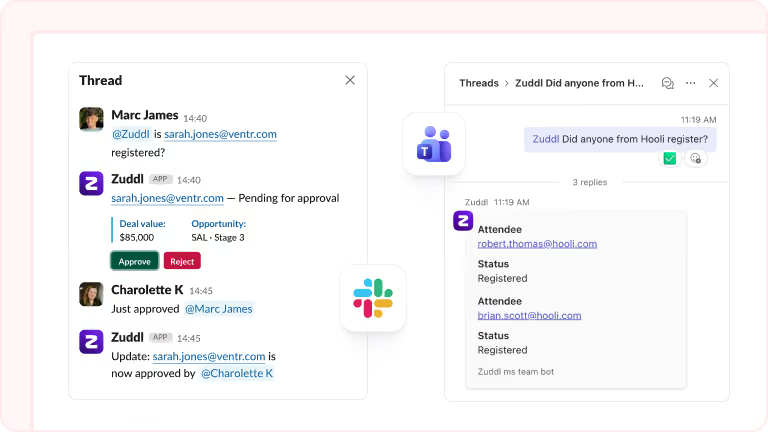
Zuddl agents for Slack and Microsoft Teams
Tag @Zuddl in an event channel and ask about any attendee by name, email, or company. Status comes back in seconds, no login needed. Pending registrations show Approve and Reject buttons for authorized members. Status changes post back to the thread.
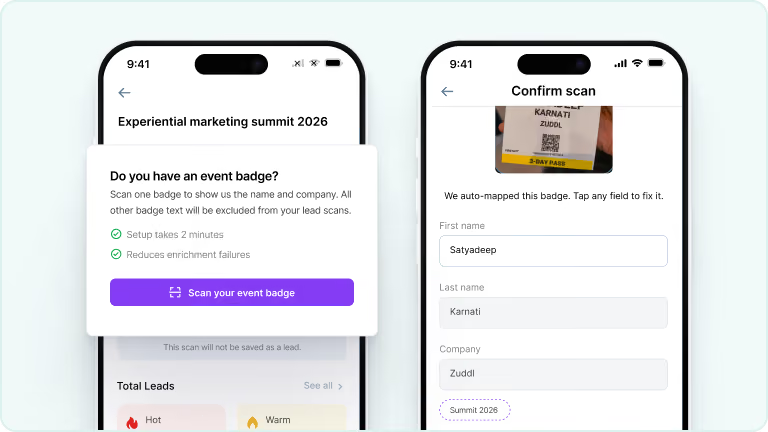
One-time badge calibration for clean lead data
Before scanning at a third-party event, the app prompts a one-time badge calibration. It reads the badge format and maps each value to the right lead field. Anything it misses, you assign with a tap, and anything you don't need goes into skip rules. Works online and offline.
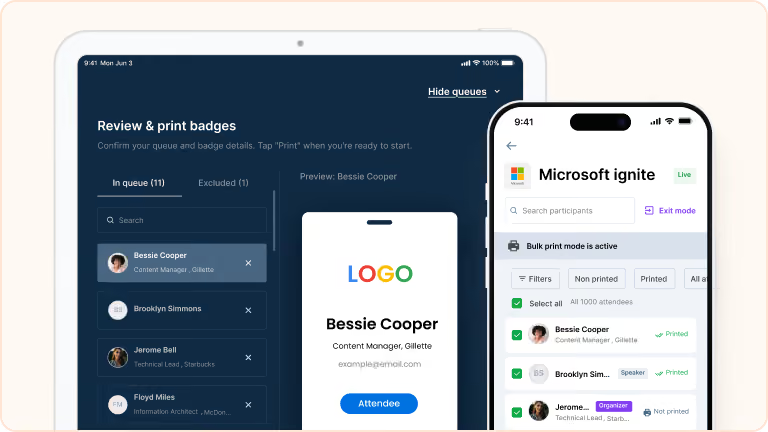
Print badges for multiple attendees in one run
Multi-select attendees from the check-in list and print badges in one continuous run. Preview the queue first, swipe through, drop anyone you don't need, and edit details before printing. Progress tracks in the background and failures are flagged for retry. Available on iOS.
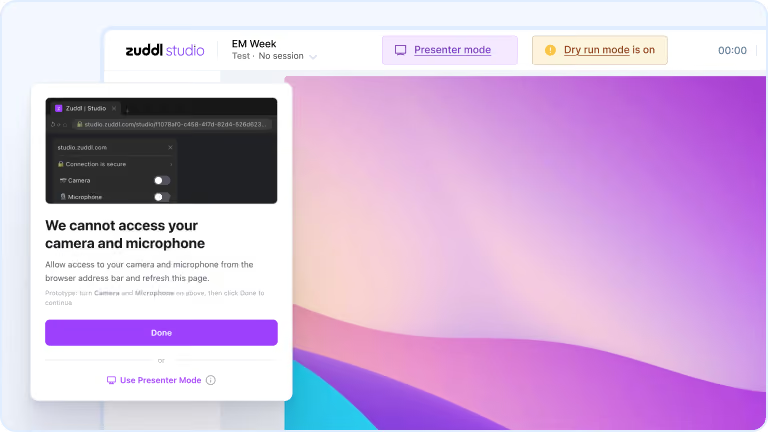
Presenter Mode for screen share without A/V
Presenters join a Studio session in Presenter Mode to share their screen only, no camera or microphone from that device. Built for conference rooms where audio and video come from room hardware. Polls, surveys, chat, participant view, and organizer controls all work.
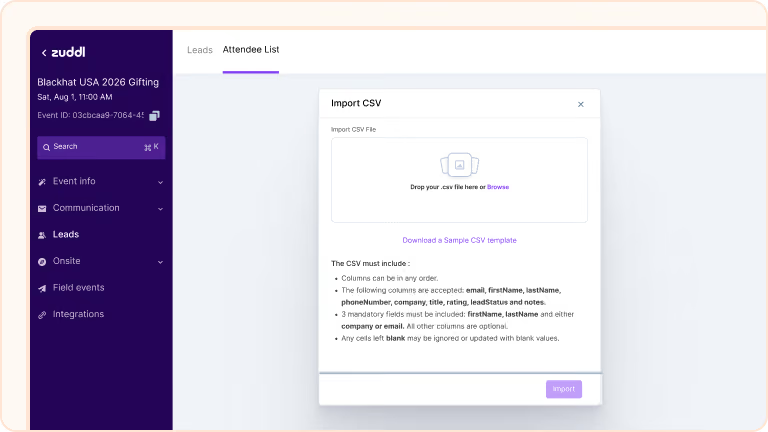
Pre-upload attendee lists for booth context
Upload the event's attendee list as a CSV and auto-enrich every contact before the show. When reps scan badges, leads match against the uploaded list. Reps confirm or reject each match on the spot, and confirmed leads link to the enriched contact.
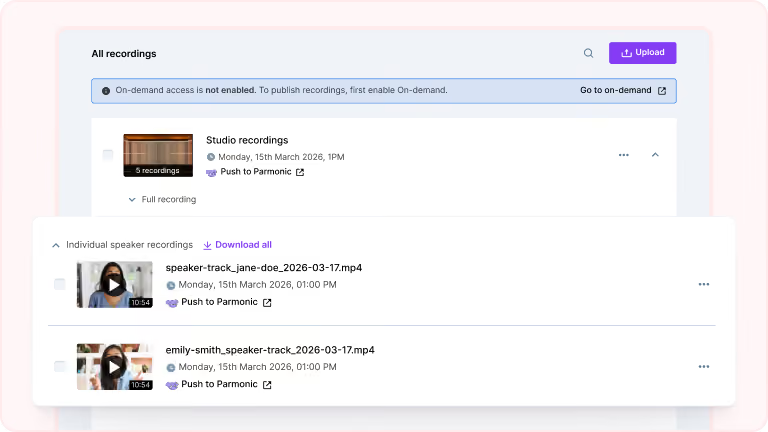
Speaker-level recordings in the library
Your content team can grab individual speaker clips from the Recording Library and repurpose them into social clips, podcast segments, or highlight reels. Each speaker gets their own file with screen shares captured separately, no editor needed.
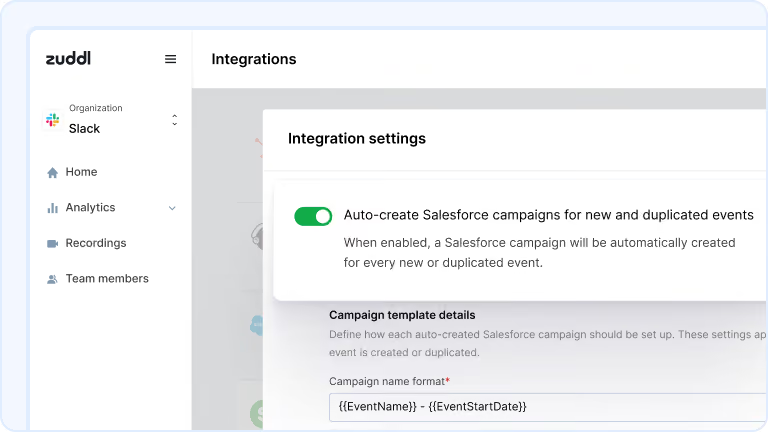
Salesforce campaigns created with every event
Configure a naming format with merge tags and map each Zuddl event type to a Salesforce campaign type. One-time setup. Every event you create or duplicate gets a linked campaign with the right type, correct dates, and a Planned status.
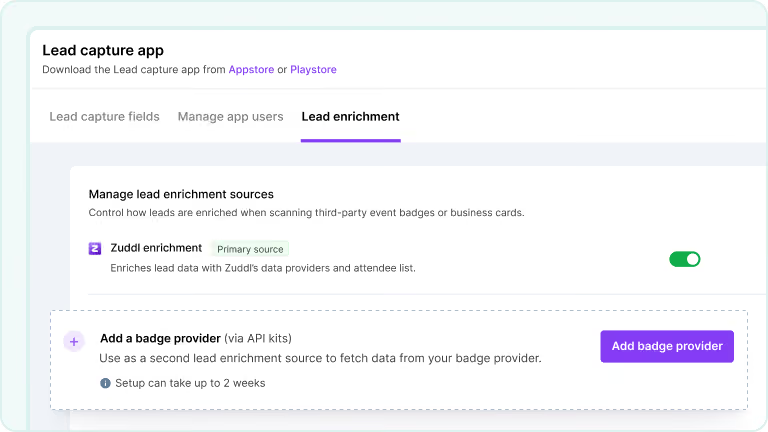
Self-serve badge enrichment configuration
Submit your badge provider API kit details (Maritz, Cvent, or another provider) from Lead Capture settings. Set which enrichment source is primary and which is the fallback. When a rep scans a badge, the app checks the primary source first and falls back if needed.